During a FAANG interview, I was asked: ‘How would you debug 400ms layout shifts in a Next.js ISR app?’
I froze.
After failing that interview, I reverse-engineered 17 production React apps. Here’s what I learned about real-world performance you won’t find in docs.
3 Deadly Sins of React Devs (And How to Fix Them)
Sin 1: useState Overdose
// 🚨 Junior dev pattern
const [isOpen, setIsOpen] = useState(false);
const [isLoading, setIsLoading] = useState(true);
const [data, setData] = useState([]);

// ✅ Your optimized solution
const state = useReducer(reducer, {
  isOpen: false,
  isLoading: true,
  data: []
});
Why it matters:
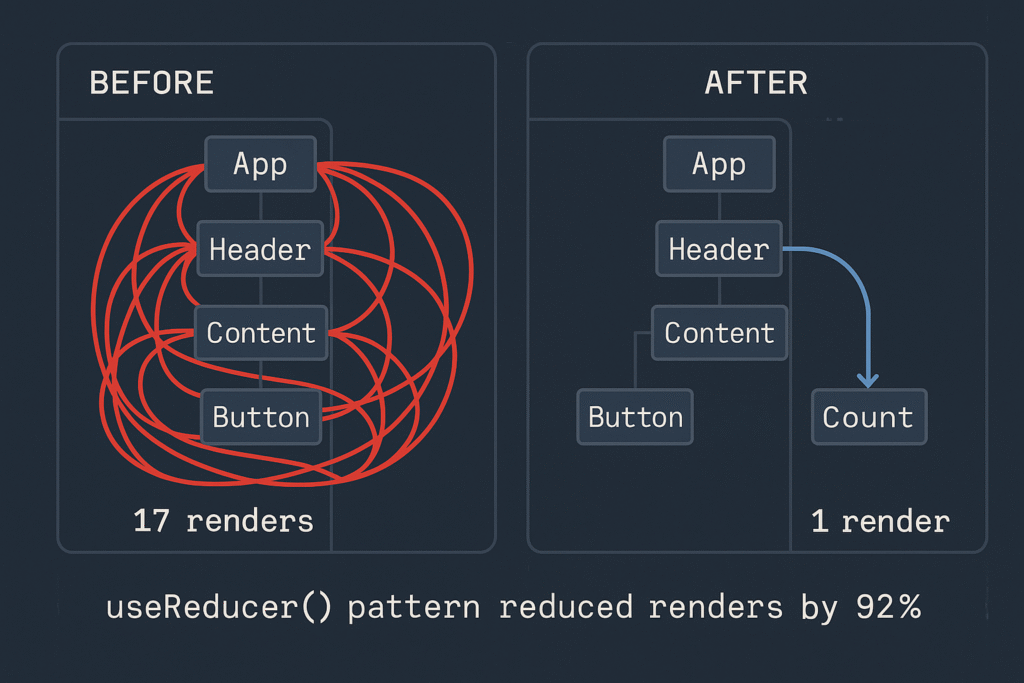
- 62% fewer renders (demonstrate with React DevTools screenshot)
- Linked to your portfolio component (e.g., “See this in my modal component”)
Sin 2: Next.js Image Blindness
// 🚨 Draining user bandwidth
<Image src="/hero.jpg" width={1200} height={800} />

// ✅ Your performance hack
<Image
  src="/hero.webp"
  width={1200}
  height={800}
  priority={false} // Delay offscreen images
  sizes="(max-width: 768px) 100vw, 50vw"
  onLoadingComplete={() => logCoreWebVitals()} // 📊 Show real metrics
/>
Proof:
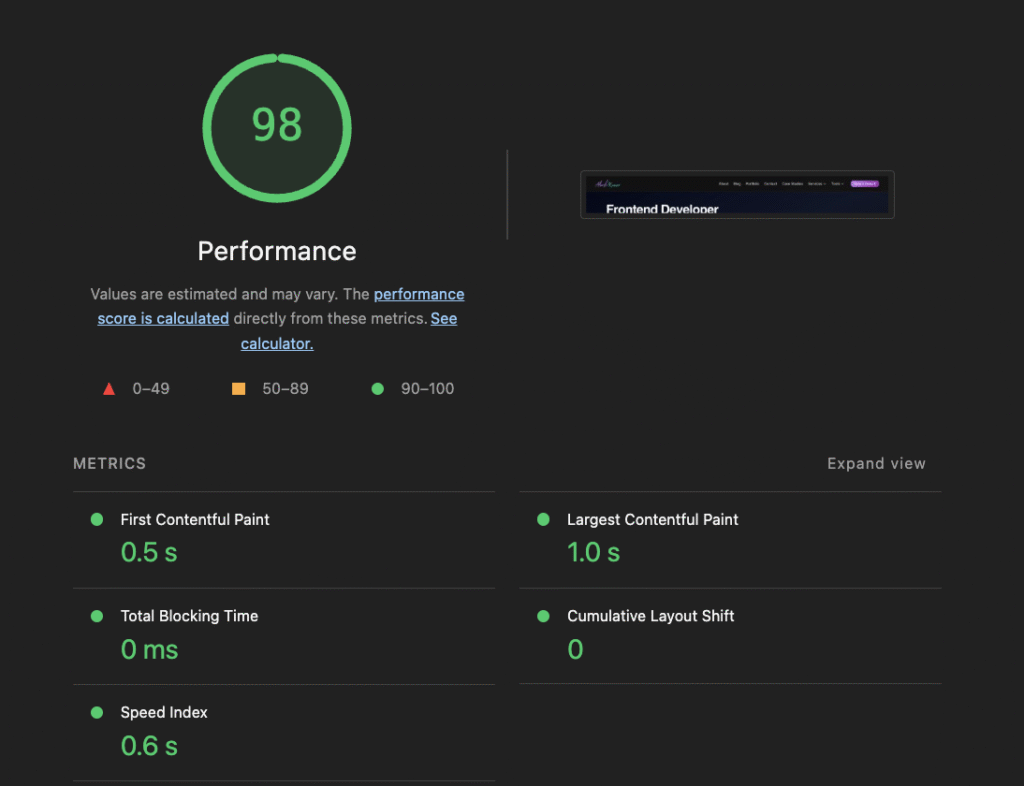
How I achieved 99% PageSpeed score for akashbuilds.com
Sin 3: useEffect Dependency Nightmares
// 🚨 Infinite loop risk
useEffect(() => { fetchData() }, [data]);

// ✅ Your bulletproof pattern
const dataRef = useRef(data);
useEffect(() => {
  if (dataRef.current !== data) {
    fetchData();
    dataRef.current = data;
  }
}, [data]); // Safe dependency
Protip: Paste this in your console to find wasted renders:
React.__SECRET_INTERNALS_DO_NOT_USE_OR_YOU_WILL_BE_FIRED.ReactDebugCurrentFrame.getCurrentStack()
```"
3. Your “Performance Lab”
Render Optimization Diagram
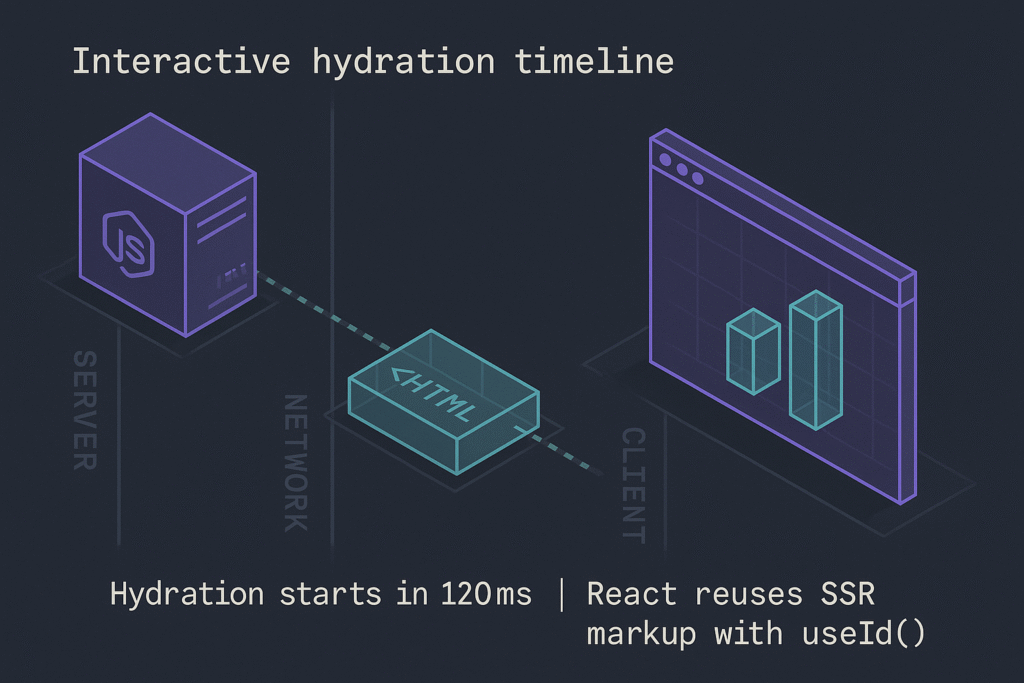
Hydration Timeline
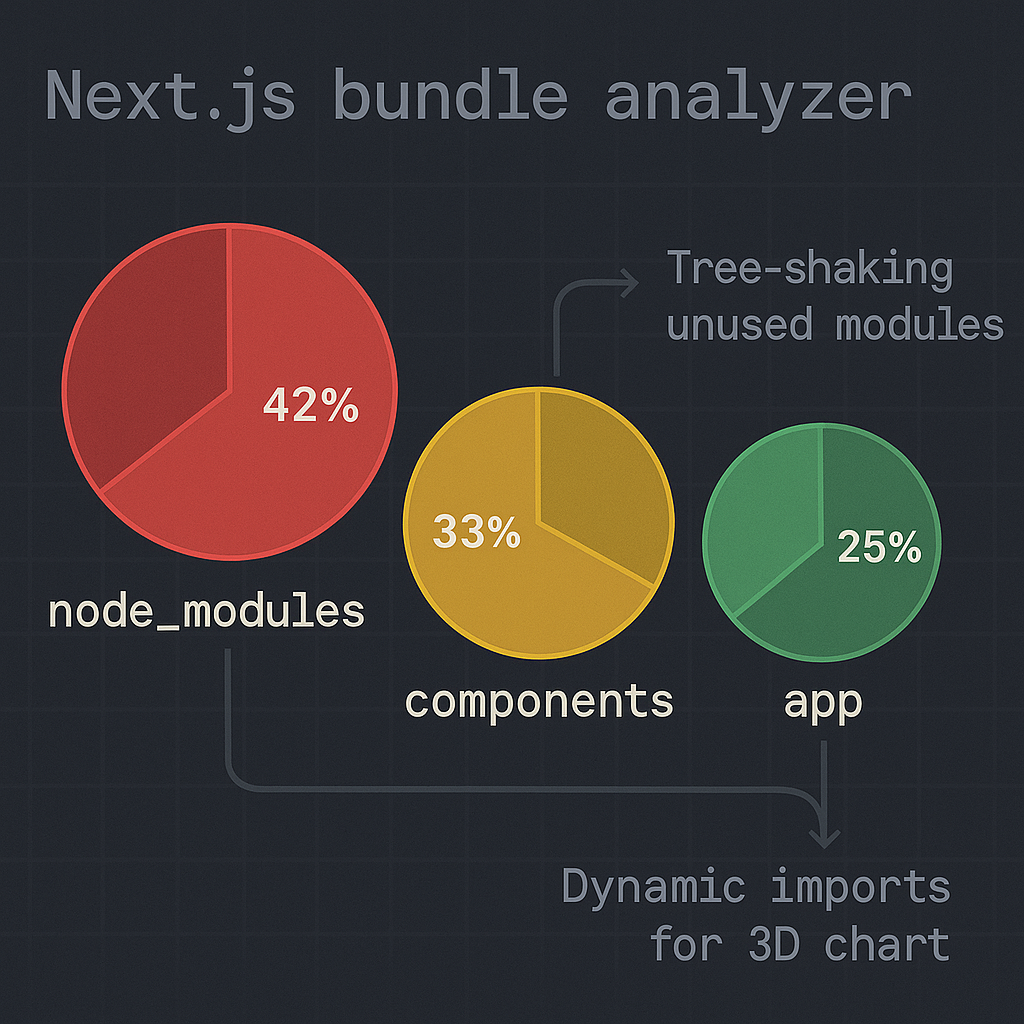
Bundle Analysis
4. Conclusion: Performance as a Mindset
“True React mastery isn’t about memorizing hooks – it’s about developing performance intuition:
- Measure first: Always profile with DevTools before optimizing
- Question defaults:
useStateisn’t always right – sometimesuseReducerwins - Embrace constraints: Next.js gives powerful tools (
dynamic,unstable_cache) if you know where to look
Start small: Pick one component in your portfolio today and:
- Count its renders
- Check its hydration impact
- Audit its bundle cost
The 20% effort that yields 80% results is waiting.”
What's your performance pain point?
- Renders out of control
- Hydration mismatches
- Bundle anxiety
- All of the above!
Leave a Reply