When pages load fast, layouts stay stable, and content is easy to read and navigate, search engines take notice. That’s where front-end engineers make a difference. Even without an SEO specialist, good engineering practices can move a site higher in search results — and keep it there.

What Search Engines Reward — and What Front-End Controls
Search engines care less about tricks and more about how real users experience a page. Every front-end choice, from image size to heading order, sends signals that influence ranking.
Here’s what matters most:
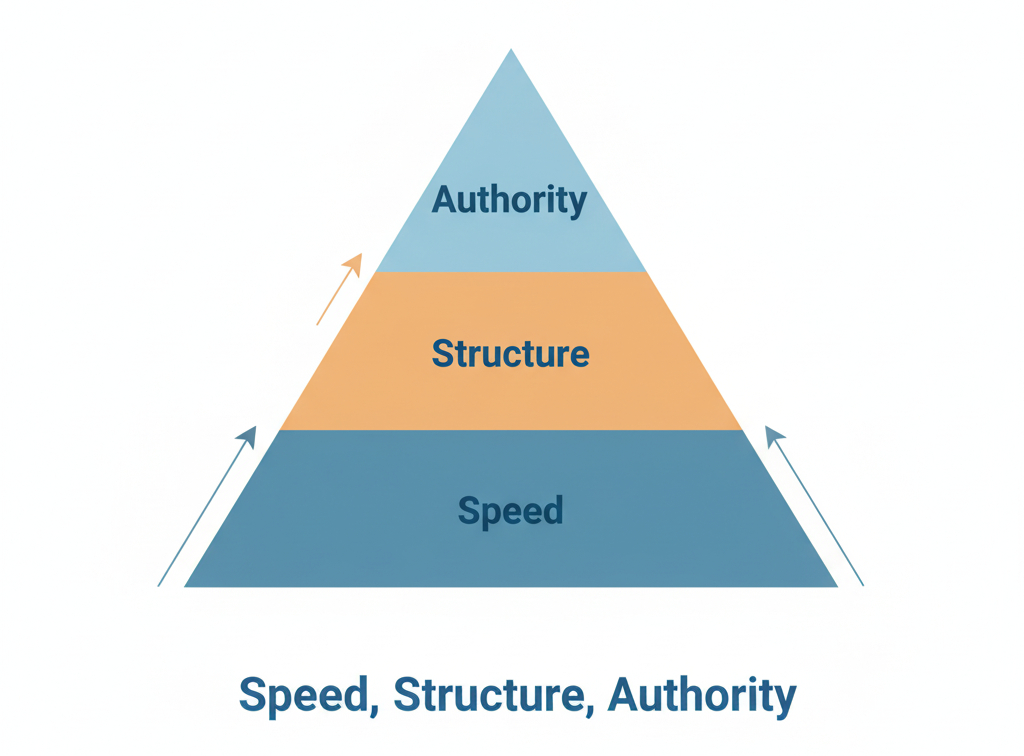
- Speed and stability: pages that load quickly and don’t shift as users scroll.
- Structured content: logical headings, clear navigation, and descriptive image text.
- Accessibility: pages that everyone can use — keyboard users, screen readers, mobile visitors.
- Consistency: clean markup that search bots can crawl without confusion.
Core Web Vitals — The Quickest Wins
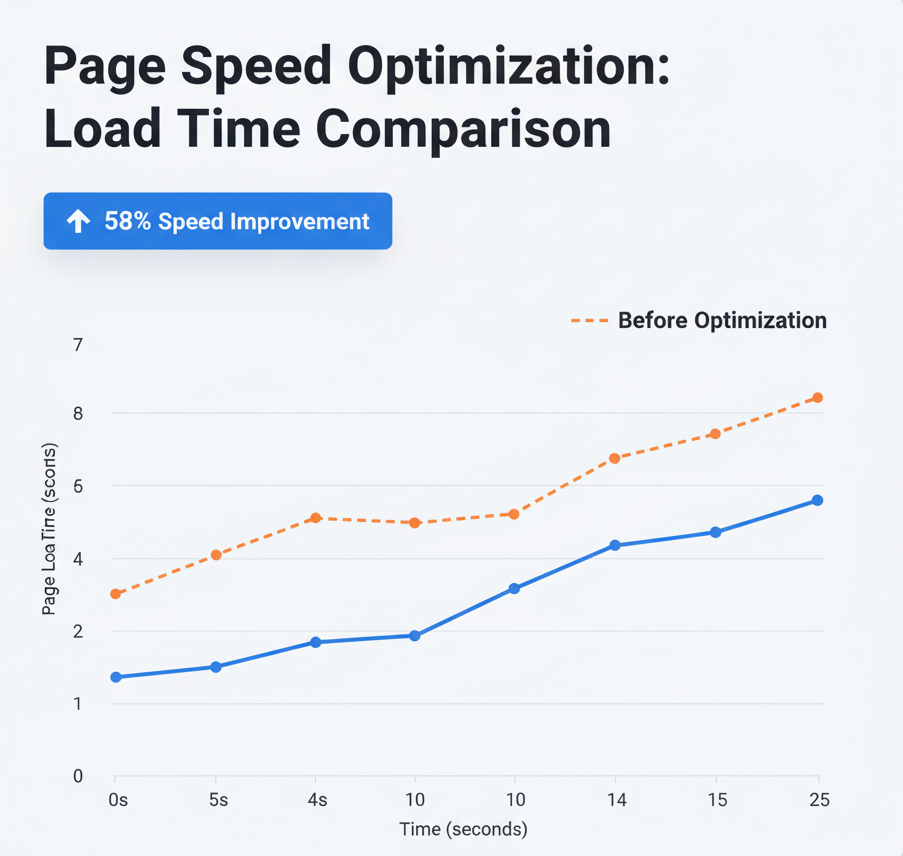
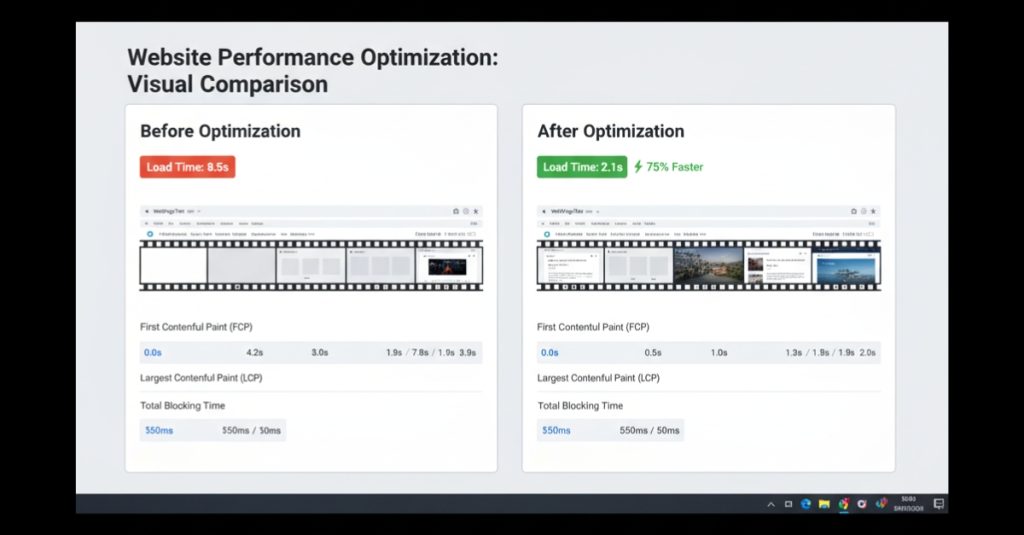
When Google evaluates performance, three numbers matter most:
LCP (Largest Contentful Paint)
how quickly main content appears.
CLS (Cumulative Layout Shift)
how stable the layout is while loading.
INP (Interaction to Next Paint)
how responsive the page feels during interaction.
How to improve them:
- Use modern formats like WebP or AVIF for hero images.
- Preload main fonts and above-the-fold visuals.
- Reserve image and banner space with
aspect-ratioto stop layout jumps. - Defer non-critical scripts and remove unused CSS or libraries.
- Avoid unnecessary third-party code on the first paint.
Write HTML That Explains Itself
Search engines read structure the same way assistive tech does — through hierarchy and meaning.
Use a proper heading outline
One <h1> for the page title, then step down with <h2> and <h3> for logical sections. A clean outline tells crawlers what’s important and what supports it.
Describe images and links
- Every
<img>tag should have a clearaltdescription that matches the visual. - Avoid “Click here” or “Learn more”. Instead, link with context: “View jewellery collections” or “See full case study”.
Mark up lists and tables semantically
Don’t fake them with <div>s. Proper tags improve accessibility and make content easier for search bots to parse.
Control JavaScript — Don’t Let It Hide Content
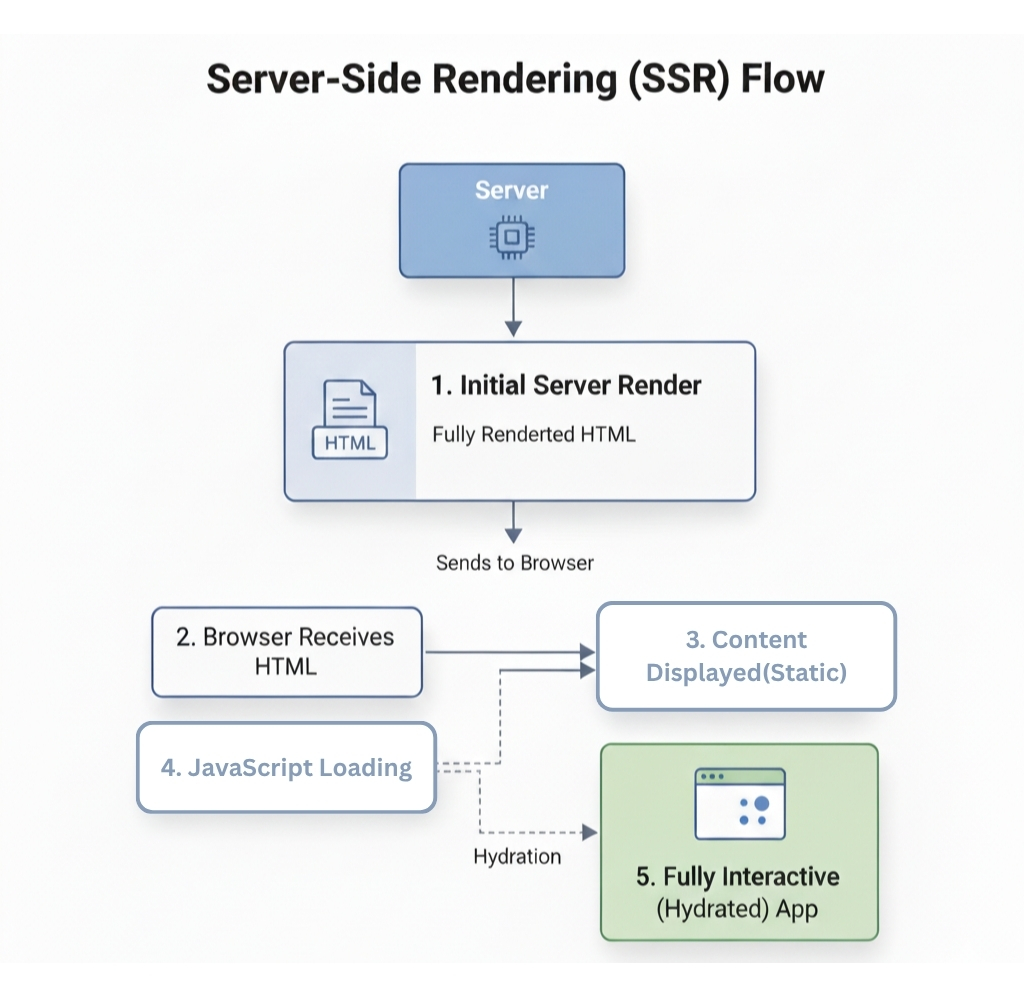
Frameworks like React or Next.js can produce excellent SEO results if used carefully. But heavy client-side rendering can block crawlers.
To stay crawl-friendly:
- Prefer Server-Side Rendering (SSR) or Static Generation (SSG) for core pages.
- Hydrate only the parts that need interactivity.
- Ensure vital content exists in the initial HTML response — not loaded later by API calls.
- Keep an eye on internal links and app-shell routing to avoid 404s or broken states.
Structured Data for Rich Results
Search results often show more than blue links. Those extras — FAQs, product prices, breadcrumbs — come from structured data.
Add Schema.org markup when it improves understanding:
Articlefor blogs and case studies.Productwith offers for online stores.FAQPagefor support sections.BreadcrumbListfor category navigation.
Keep it simple, valid, and aligned with visible content. Over-using schema can confuse crawlers or even trigger penalties.
Accessibility: A Ranking Multiplier in Disguise
Accessible websites don’t just include everyone — they often perform better. Google rewards strong user experience, and accessibility overlaps with that almost completely.
Focus on:
- Proper labels for form fields.
- Logical tab order and visible focus rings.
- Clear colour contrast that passes WCAG AA.
- Alt text that truly explains visuals.
Users who can navigate easily stay longer and interact more, reducing bounce rates and improving engagement — two signals search engines track closely.

Internal Linking and Information Architecture
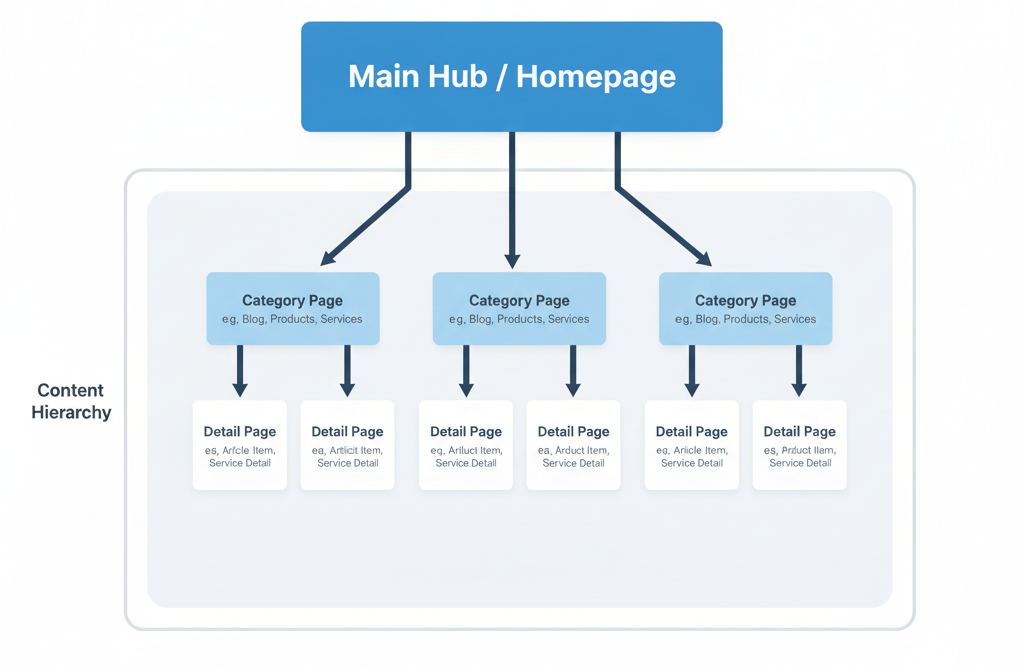
Think of internal linking as giving search engines a map of your site.
Practical steps:
- Use clear navigation and breadcrumb trails.
- Connect related pages through descriptive anchor text.
- Keep URL slugs human and consistent (no query-string clutter).
- Make sure every important page can be reached within three clicks.
Canonicals, Redirects, and Clean Indexing
Duplicate or conflicting URLs dilute authority. Prevent that with a few hygiene habits:
- Declare one canonical URL per page.
- Use 301 redirects for retired or merged content.
- Block only what truly shouldn’t be indexed — staging areas or filters, not live content.
- Keep an up-to-date XML sitemap.
- Write honest, unique titles and meta descriptions for each page.
Make It Work on Mobile (Because Google Checks There First)
Most users — and all crawlers — index mobile content first.
Prioritise:
- Simple responsive layouts that work on narrow screens.
- Touch-friendly buttons and visible menus.
- Lightweight pages under real-world 4G speeds.
- Testing on actual mid-range Android devices, not just desktop emulators.
Enable Editorial SEO in Your CMS
Front-end engineers can empower non-technical teams by baking SEO options directly into the CMS.
Set up fields for:
- Page title, meta description, and canonical link.
- Alt text for every image upload.
- FAQ block templates that output structured data.
- Preview tools that show how a page scores for Core Web Vitals before publishing.
FAQs
Q1. Can frontend work alone raise rankings?
Yes — especially when pages are slow or poorly structured. Performance and user comfort often improve engagement, which feeds back into ranking signals.
Q2. Do I need every type of schema?
No. Use schema only when it adds clarity and reflects visible content. Accuracy matters more than quantity.
Q3. What if I can’t change the back end?
You can still make big wins: resize images, clean HTML, fix layout shifts, improve accessibility, and simplify navigation — all front-end territory.
Conclusion
Good SEO starts with solid engineering. Clean structure, quick loading, and inclusive design send strong signals to both users and search engines.
Front-end engineers hold the tools to deliver all three — even when there’s no dedicated SEO team.
Measure your results, document improvements, and speak in numbers, not jargon.
Build Fast · Build Clear · Build for Everyone